quickstart
desktop or laptop only. mounting as a drive, config editing, firmware flashing, and the serial debug panel don't work on phones or tablets
1
plug in via USB-C.
where's the usb? it's that card edge over by the power light... yeah, that thing. weird right?
boot animation runs (~2s):
- white swipe
- 3 heartbeat chirps
2
once the chirps finish, it's ready. by default it's a keyboard, mapped for an app called disguise d3 designer. touching a pad sends a real keystroke to whatever's focused on your computer. totally harmless. just don't touch pads while typing something important.
3
want to hear it instead? after the chirps finish, hold pads 8+9 for about a second (yellow → blinking red) to force MIDI mode, then open the web synth. no other software needed.
4
want to remap it? after the chirps finish, hold pads 2+3 for about a second (blue → blinking green). it mounts as a plain USB drive with a text file, no app required. see
boot_combos and config_syntax below.
5
want to hack me more? go here! minimal MIDI/HID example firmware, a clean file to start from.
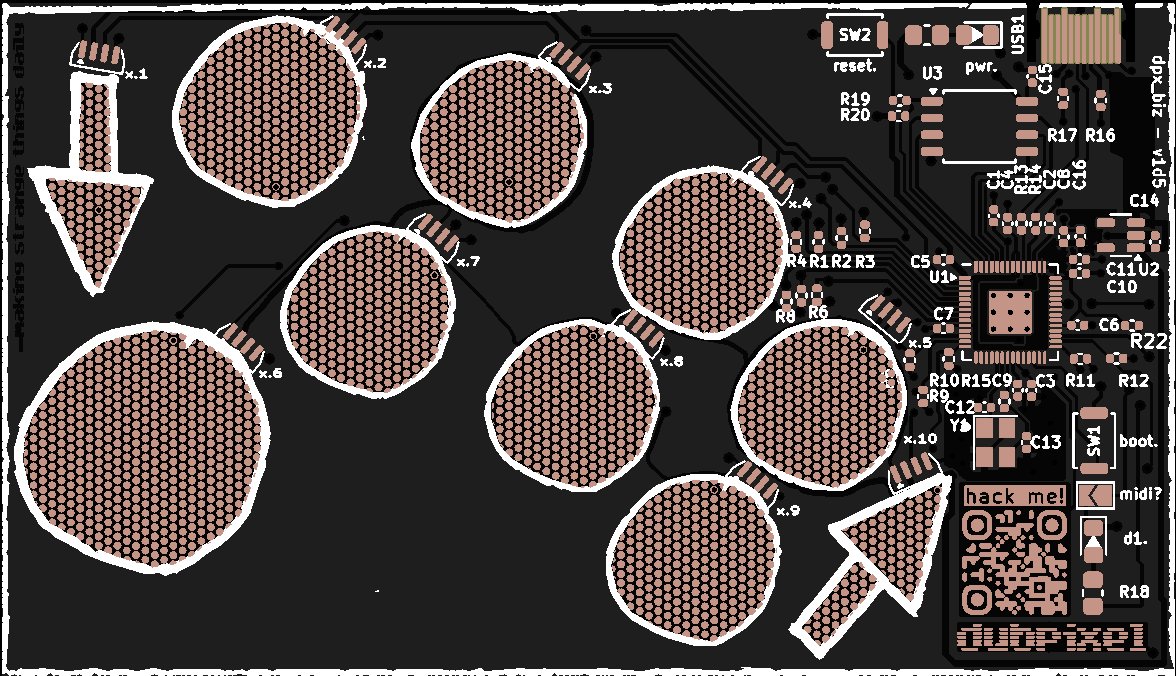
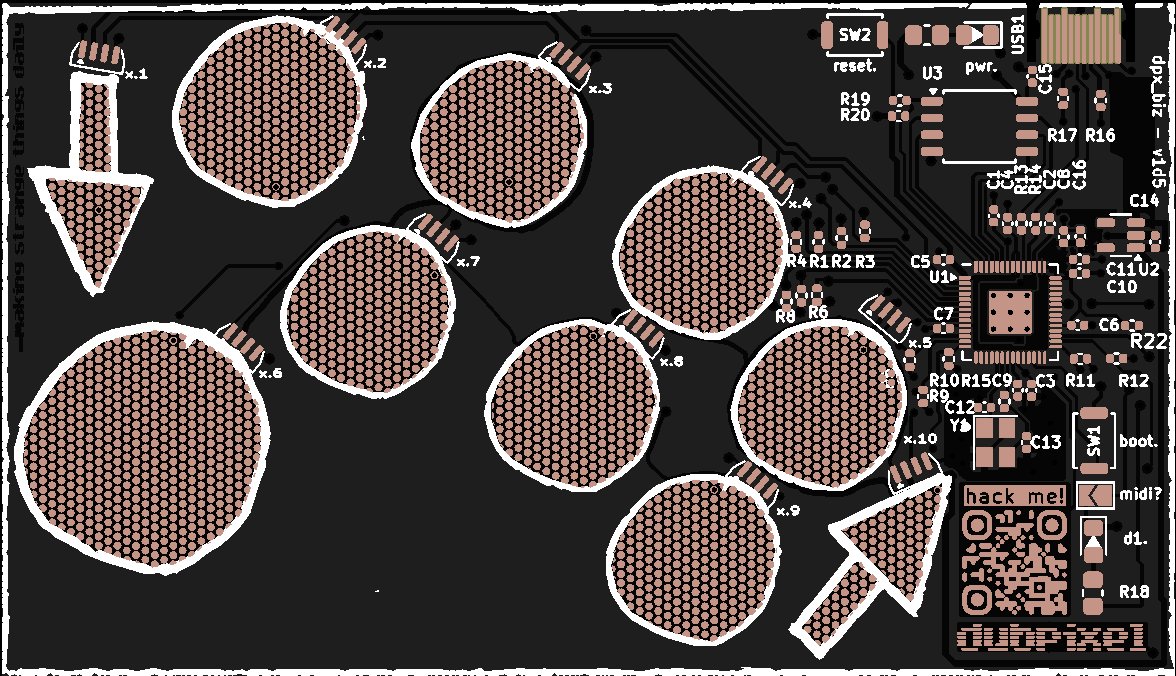
jlc_render
no_parts
hardware
boot.
push to reboot the device
reset.
hold during reboot
d1.
white heartbeat = running
jumper.
open = HID keyboard (default) · closed = MIDI. this sets the mode every boot. separate from the one-time FORCE MIDI combo
boot_sequence
▶ replay boot swipe on pcb1white swipe ⚠ don't touch, calibrating ⚠
23× d1 chirps ⚠ don't touch, setting baseline ⚠
3HOLD PADS. use boot_combos for special modes
4detection color
5confirm blink
6heartbeat = ready
boot_combos
after the 3 heartbeat chirps, hold a combo. CONFIG mounts the card as a plain USB drive, no software required, just edit config.txt in any text editor
2
+
3
CONFIG
USB drive for config.txt
→
4
+
5
RESET
factory reset settings
→
8
+
9
FORCE MIDI
MIDI regardless of jumper
→
saving config: D1 solid white = writing, wait for heartbeat, then press boot. to apply
don't eject the drive — ejecting just re-mounts it
quick_fixes
not registering? ground yourself on PCB edge
dry hands? moisten fingertips
acting weird? press boot. don't touch during white swipe
config_syntax
edit config.txt on usb drive during CONFIG boot mode. defaults below are tuned for disguise d3 designer — remap any pad to your own app/DAW
pad_X_param=value
pad_0_hid_key=ctrl+alt+arrow_up
pad_0_midi_note=60
pad_0_midi_velocity=127
pad_0_midi_channel=1
# repeat for pads 1-9